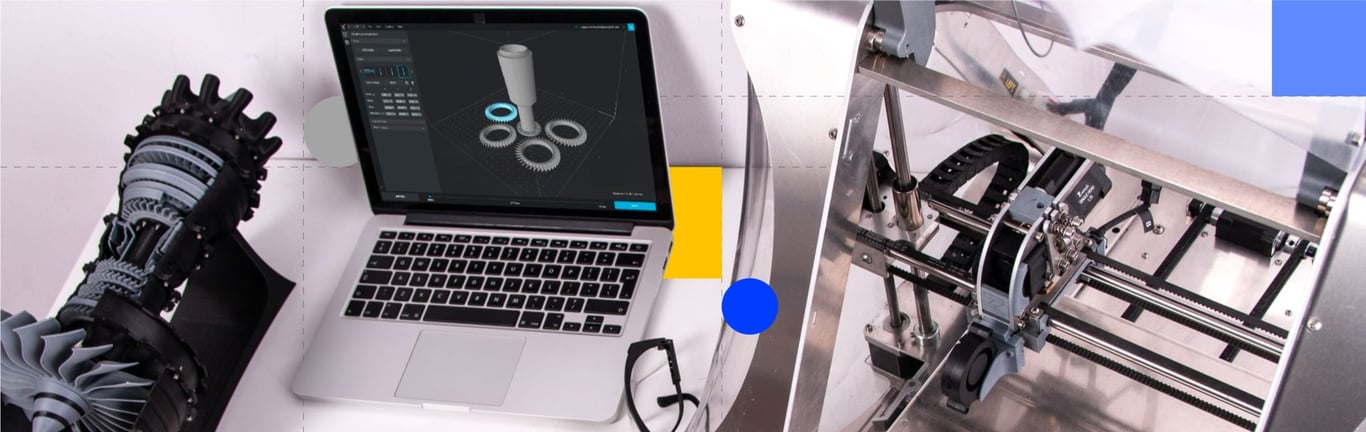
Product design and prototyping are crucial stages in developing any new product. These processes allow entrepreneurs and companies to visualize and test their ideas before bringing them to market. In recent years, specialized software programs have become more widely available to assist with these processes, making it easier for designers and engineers to create and refine their designs which will ultimately be produced.
During the last decade, the market has seen a wide range of product design and prototyping software emerge to solve product design needs from a wide range of hardware design profiles. But with so many options, it can be hard to choose which is right for you.
In this article, we'll introduce you to 8 of the best software programs for product design that will get you closer to prototyping, offering a range of tools and resources to help you bring your ideas to market. Whether you're a beginner or a pro, there's something for everyone on this list.
Brief Story of Product Design Software
Product design software has evolved significantly since its inception. In the early days of product development in the 1960s, designers and engineers relied on physical models and hand-drawn plans to visualize and test their ideas. This manual process was time-consuming and error-prone, often requiring multiple iterations to achieve the desired outcome.
With the advent of computers and the development of specialized software programs, the product design process has become much more efficient and accessible. These programs allow designers to create digital models of their designs, which can be easily modified and tested in a virtual environment. Modern software has expedited the product development process, enabling companies to bring new products to market more quickly.
In recent years, the popularity of 3D software has soared, driven by technologies such as 3D printing and CNC machining as well as the increasing sophistication of software programs. It is now easier than ever to accelerate the product development process.
Top 8 Software for Product Design
SolidWorks
SolidWorks is a 3D CAD software created by Dassault Systèmes. It was first launched in 1995 and is widely used by product designers and engineers to create, visualize, and analyze complex 3D models and simulations and generate detailed technical drawings and documentation.
Pros:
Ease of use: A user-friendly interface that makes it easy for designers to navigate and use the software, making it easy for new users to start creating.
Advanced modeling tools: Wide range of advanced modeling tools allows designers to create complex shapes and geometries quickly.
Simulation and analysis:SolidWorks offers a range of simulation and analysis capabilities, such as stress analysis, motion analysis, and thermal analysis, to identify potential problems with their designs early on and make adjustments before manufacturing the product.
Cons:
Limited rendering and animation capabilities: While it can create detailed and accurate models, there are better options for rendering and animation.
Expensive: SolidWorks is a high-end 3D CAD software and comes at a premium price, making it expensive for smaller companies or individual designers.
Limited Mac support: SolidWorks is primarily a Windows-based software. There is a Mac version, but support and compatibility with Mac OS are limited.
AutoCAD
One of the most known and used CAD software worldwide, AutoCAD is a 2D and 3D CAD software widely used for architectural, mechanical, electrical, and construction projects, with versatile tools for product design. Launched in 1982 by Autodesk, AutoCAD is well-known thanks to many universities, including it as part of their educational requirements.
Pros:
Versatility: A flexible tool used for architectural, mechanical, electrical, and construction projects thanks to its many drawing and modeling options.
2D and 3D capabilities: AutoCAD offers both 2D and 3D modeling capabilities, letting designers create detailed drawings, plans, schematics, and 3D models in one place.
Annotation and detailing: Powerful annotation and detailing tools give designers the possibility to add notes, dimensions, and other information to their designs.
Cons:
Steep learning curve: It can be complex for a new user to become proficient in the software's features and capabilities.
Simulation capabilities: It does not have the same capabilities as other specialized software like SolidWorks or CATIA.
Limited rendering capabilities: Other specialized software like Rhino or 3D Studio Max performs better on this task.
CATIA
Developed too by Dassault Systèmes, CATIA (Computer Aided Three-dimensional Interactive Application) is a high-end 3D CAD software first launched in 1977 used in the aerospace, automotive, and industrial machinery industries. It is known for its ability to handle complex and large assemblies and advanced capabilities in areas such as sheet metal design.
Pros:
Advanced modeling capabilities: Lets users create complex shapes and geometries with specialized tools for creating sheet metal designs, plastic parts, and electrical and fluidic systems.
Analysis tools: Stress analysis, motion analysis, and thermal analysis can help designers and engineers to identify potential problems with their designs early in the design process.
Collaborative design: CATIA has a collective design capability, which allows multiple users to work on the same model simultaneously.
Cons:
High cost: With a high cost of ownership, CATIA can be prohibitive for small and medium-sized companies.
Long learning process: Harder to learn and master all of its features and capabilities.
Limited compatibility: The file format is not widely supported by other software, making it difficult to share data with other design software, departments, or companies.
Rhino
Rhino is a 3D modeling software developed by Robert McNeel & Associates, first launched in 1998. Particularly well-suited for designing complex and organic shapes, Rhino has been prevalent in industrial and jewelry design, architecture, and even 3D animation for many years, thanks to its precision and ability to create complex shapes.
Pros:
NURBS modeling: Rhino is built around NURBS (Non-Uniform Rational B-Splines) modeling, which allows for the creation of accurate and smooth organic shapes and surfaces. A powerful tool for working with complex or organic shapes.
Advanced surfacing tools: Network surfaces, blend, and fillet, among other product design tools, allow designers to easily manage complexity.
Compatibility with other software: It supports a wide range of file formats, making it easy to share data with others.
Cons:
Difficult to master: It can be challenging to learn how to use the most complex sides of it.
Simulation environment: Rhino's capabilities are limited compared to other specialized software.
Rendering tools: Designers who want to create photorealistic images or animations of their designs may need to use different software.
Inventor
Developed by Autodesk, Inventor is a 3D CAD software designed specifically for mechanical engineers and product designers looking to create 3D models, perform simulations, and generate the necessary drawings and documentations to make their products possible. Originally launched in 1999, Inventor is continuously offering updates to their users.
Pros:
Advanced modeling tools: It offers advanced modeling tools, such as parametric and constraint-based design, allowing product designers to create and edit detailed models of mechanical parts and assemblies.
Analysis features: Inventor offers a range of analysis capabilities that can help product designers efficiently and promptly identify potential problems.
Design for Manufacturability (DFM) capabilities: Inventor has built-in capabilities to check if the procedure is feasible, such as toolpath, material, and tolerance analysis.
Cons:
Dependence on Autodesk ecosystem: Inventor is an Autodesk product, so its compatibility with other software can be limited. Also, a subscription or perpetual license can be expensive for some users.
Limited sheet metal design capabilities: While Inventor offers advanced modeling and assembly tools, its sheet metal design capabilities are more limited than other specialized software like SolidWorks.
Little Mac support: Mac users may face more difficulties than Microsoft users.
Fusion 360
Also developed by Autodesk and launched in 2013, Fusion 360 is a powerful and flexible cloud-based 3D CAD, CAM, and CAE software that can be used for product design, manufacturing, and collaboration. It allows for complex 3D modeling, simulating, and generating detailed technical drawings.
Pros:
Integrated design and manufacturing: Fusion 360 offers an integrated design and manufacturing environment that facilitates product design, simulation, and manufacturing.
Collaboration and data management: Powerful collaboration and data tools allow designers to share their designs with others and access data from multiple sources.
Simulation power: The software offers valuable design simulation tools to help product designers identify potential problems soon.
Cons:
Requires practice: Complex for new users, which may require more hours to master compared to other software.
Limited native file format support: Fusion 360 primarily support its file format, making it difficult to share data with others.
Support: Some users have reported issues with customer support when trying to resolve issues or get help with the software.
Creo
Developed by PTC and formerly known as Pro/Engineer, Creo is a high-end 3D CAD software launched in 2010 and used in the aerospace, automotive, and industrial machinery industries for product design, simulation, and analysis.
Pros:
Collaborative design: Allows multiple users to work on the same model simultaneously, making it easy to share data and collaborate with team members and stakeholders.
Automated design: Creo has parametric design capabilities to change the design quickly and create product variants.
Industry-specific solutions: It offers industry-specific solutions for the aerospace, automotive, and industrial machinery industries.
Cons:
High cost: Its high cost of ownership can be challenging to cover for SMEs.
Rendering: Its limited rendering capabilities can be a disadvantage for more visual product designers.
Solid Edge
Solid Edge is a 3D CAD software created by Siemens PLM Software, first launched in 1996. It offers advanced tools for product design, simulation, technical documentation, and collaboration, widely used by manufacturers and in product and industrial design.
Pros:
Design analysis: Solid Edge offers a wide range of tools that help designers and engineers identify potential problems early.
Integrated design and manufacturing: Product designers can design, simulate, and manufacture their products within the same software.
User-friendly interface: Its user-friendly interface makes it easy to navigate and use all the tools and features of the software.
Cons:
Limited sheet metal design capabilities: Its sheet metal design capabilities are more limited than other specialized software.
Frustrating client support: Users report poor customer support that can cause frustrations during the process.
File format support: It has limited support for other file formats, making it harder to collaborate.
CAD ROOMS
When working in a team or running a business, getting everyone on board to comment and contribute to the same file can be tricky. Keeping track of the latest versions is also challenging, with confusion and mix-ups happening more often than they should. There's a cost-effective, secure, integral, and intuitive solution for this: CAD ROOMS.
CAD ROOMS offers a streamlined, user-friendly interface without unnecessary features that complicate workflows. It is cloud-based, CAD file agnostic, and powerful enough to manage any file, ensuring smooth real-time global collaboration with end-to-end encryption and controlled access across various CAD tools. Key features include:
Secure Cloud Hosting with Version Control: Track changes, revert to previous versions, and prevent errors.
Effortless File Sharing: Share large CAD files quickly without expensive licenses.
Seamless Integration: Sync local folders across devices using our Desktop App, maintaining project transparency with easy access to history and updates.
To see how CAD ROOMS can transform your engineering workflow and bring your products to market faster, take a look at our platform, and discover the features in action. If you'd like to explore how CAD ROOMS can specifically benefit your team, book a demo and we will be happy to find the right solution for your business.
Frequently Asked Questions (FAQ)
Q: What is the historical context and evolution of product design software?
A: Product design software has undergone a significant evolution since the early days of product development in the 1960s. Initially, designers and engineers were heavily reliant on manual processes, which involved creating physical models and hand-drawn plans to visualize and test their concepts. This traditional approach was notably time-consuming and prone to errors, often necessitating numerous iterations to achieve the desired design outcome. The introduction of computers and specialized software programs marked a pivotal shift, making the product design process considerably more efficient and accessible. Modern software allows designers to create digital models that can be easily modified and rigorously tested within a virtual environment. This technological advancement has dramatically expedited the product development lifecycle, enabling companies to bring new products to market much faster than before. Furthermore, the increasing sophistication of software, coupled with the rise of technologies like 3D printing and CNC machining, has led to a soaring popularity of 3D software in recent years, making the acceleration of the product development process easier than ever. This continuous evolution has provided a wide range of tools to meet the diverse needs of hardware design profiles.
Q: What are the key advantages and disadvantages of using SolidWorks for product design?
A: SolidWorks, a 3D CAD software from Dassault Systèmes, is widely utilized by product designers and engineers for creating, visualizing, and analyzing complex 3D models, simulations, and detailed technical documentation. One of its primary advantages is its ease of use, featuring a user-friendly interface that simplifies navigation and allows new users to quickly begin creating designs. It also boasts a wide range of advanced modeling tools for rapidly creating complex shapes and geometries. Crucially, SolidWorks offers extensive simulation and analysis capabilities, including stress, motion, and thermal analysis, which are vital for identifying potential design problems early in the process before manufacturing. However, SolidWorks does have several drawbacks. Its rendering and animation capabilities are limited compared to other specialized software. It is also considered expensive, as a high-end 3D CAD solution, which may be prohibitive for smaller companies or individual designers. Lastly, while a Mac version exists, SolidWorks is primarily a Windows-based software, meaning support and compatibility with Mac OS are limited. These factors require users to weigh the software's powerful analysis tools against its cost and platform limitations.
Q: How does AutoCAD compare to other specialized software in terms of capabilities and learning curve?
A: AutoCAD, developed by Autodesk, is one of the most recognized and widely used CAD software globally, offering both 2D and 3D capabilities. Its main strength lies in its versatility, making it a flexible tool for a broad spectrum of projects, including architectural, mechanical, electrical, and construction. It allows designers to create detailed drawings, plans, schematics, and 3D models all in one place, supported by powerful annotation and detailing tools for adding notes and dimensions. However, when compared to more specialized software like SolidWorks or CATIA, AutoCAD's simulation capabilities are limited. Similarly, its rendering capabilities are often outperformed by specialized rendering software such as Rhino or 3D Studio Max. A significant drawback for new users is the steep learning curve, as becoming proficient in its extensive features and capabilities can be complex and time-consuming. While its widespread use in universities makes it a common educational requirement, those seeking advanced simulation or photorealistic rendering might find other specialized tools more suitable for their specific product design needs, despite AutoCAD's impressive versatility in both 2D and 3D modeling.
Q: What are the primary industries and unique features of the high-end CATIA software?
A: CATIA (Computer Aided Three-dimensional Interactive Application), also developed by Dassault Systèmes, is a high-end 3D CAD software primarily used in demanding industries such as aerospace, automotive, and industrial machinery. It is renowned for its exceptional ability to manage complex and large assemblies, making it a staple in sectors where precision and scale are paramount. CATIA offers advanced modeling capabilities that enable users to create intricate shapes and geometries, with specialized tools dedicated to sheet metal designs, plastic parts, and electrical and fluidic systems. Furthermore, it incorporates robust analysis tools, including stress, motion, and thermal analysis, which are crucial for engineers to proactively identify and resolve potential design issues early in the development process. A key feature is its collaborative design capability, allowing multiple users to work on the same model simultaneously, which is essential for large-scale engineering projects. Despite these powerful features, its high cost and long learning process can be prohibitive, and its proprietary file format leads to limited compatibility with other software, complicating data sharing across different departments or companies.
Q: What makes Rhino a preferred choice for designing complex and organic shapes, and what are its limitations?
A: Rhino, a 3D modeling software from Robert McNeel & Associates, is particularly well-suited for designing complex and organic shapes, which has made it prevalent in industrial design, jewelry design, architecture, and 3D animation. Its core strength lies in its foundation on NURBS (Non-Uniform Rational B-Splines) modeling, a powerful mathematical representation that allows for the creation of accurate, smooth, and highly complex surfaces. This makes it an indispensable tool for designers working with intricate or organic geometries. Rhino also provides advanced surfacing tools, such as network surfaces, blend, and fillet, which help designers effectively manage complexity. Additionally, its compatibility with other software is a significant advantage, as it supports a wide array of file formats, facilitating easy data sharing. However, Rhino is not without its limitations. It can be difficult to master, especially the more complex aspects of its functionality. Its simulation environment is limited when compared to other specialized CAD software. Moreover, designers aiming for photorealistic images or animations may find its rendering tools insufficient, often requiring them to utilize separate, specialized rendering software to achieve the desired visual quality.
Q: What are the main features and drawbacks of Autodesk's Inventor and Fusion 360 software?
A: Autodesk offers two distinct yet powerful product design tools: Inventor and Fusion 360. Inventor, designed for mechanical engineers, excels with advanced modeling tools like parametric and constraint-based design, enabling the creation and editing of detailed mechanical parts and assemblies. It includes valuable analysis features for early problem identification and Design for Manufacturability (DFM) capabilities to check feasibility, such as tolerance and material analysis. Its main drawbacks are its dependence on the Autodesk ecosystem, which can limit compatibility, its high subscription cost, and its limited sheet metal design capabilities compared to competitors like SolidWorks. Fusion 360, a newer, cloud-based solution, is a powerful and flexible platform integrating 3D CAD, CAM, and CAE. Its key strengths are its integrated design and manufacturing environment, its robust collaboration and data management tools for sharing designs and accessing data from multiple sources, and its strong simulation power. Conversely, Fusion 360 can be complex for new users and primarily supports its native file format, making data sharing difficult. Some users have also reported issues with customer support.
Q: How does CAD ROOMS address the common challenges of collaboration and data management in product design teams?
A: CAD ROOMS is presented as a cost-effective, secure, and intuitive solution designed to overcome the significant challenges associated with team collaboration and data management in product design. A major problem it addresses is the difficulty of getting team members to comment and contribute to the same file, alongside the confusion and mix-ups that arise from keeping track of the latest versions. CAD ROOMS solves this through Version Control, which tracks changes and allows users to revert to previous versions, thereby preventing errors. The platform is cloud-based and Multi-CAD Compatibility, meaning it can manage any file regardless of the original CAD tool, ensuring smooth, real-time global collaboration. Security is maintained through end-to-end encryption and controlled access. Furthermore, it facilitates Effortless File Sharing of large CAD files without the need for expensive licenses. For streamlined workflows, it offers Seamless Integration via a Desktop App to sync local folders and maintain project transparency. For businesses, the Business Plan specifically includes Guest Sharing, which helps integrate external collaborators for more efficient design-to-production processes.
Christina Rebel, CEO of CAD ROOMS and Co-founder of Wikifactory. She has spent over a decade building cloud-based collaboration tools for engineering teams and has written on engineering workflows for DEVELOP3D and Eureka Magazine.
What are the best tools for remote, global, and multi-site engineering team collaboration? A review of 6 platforms for cross-time-zone workflows, version control, and design reviews.