Multi-CAD PDM Requirements for Enterprise: Managing Multiple CAD Tools Across Teams
Multi-CAD PDM Requirements for Enterprise: Managing Multiple CAD Tools Across Teams
Managing multiple CAD formats? Learn the essential requirements for a multi-CAD PDM system and how to streamline your engineering workflows with CAD ROOMS.
Most enterprises use multiple CAD systems across different teams and departments. A modern PDM system must support this multi-CAD reality to avoid data silos, version control issues, and vendor lock-in. CAD ROOMS is a true multi-CAD platform, supporting 35+ formats natively.
The Multi-CAD Reality in Modern Enterprises
It's a common scenario in large organizations: the mechanical engineering team uses SolidWorks, the industrial design team uses Rhino, and a recently acquired subsidiary uses Inventor. This multi-CAD environment creates significant challenges for data management and collaboration:
Data Silos: Files are stored in different systems, making it impossible to get a complete view of a product.
Version Control Nightmares: How do you ensure everyone is working on the latest version when files are scattered across different systems?
Collaboration Breakdowns: Sharing files between teams becomes a manual, error-prone process of exporting to neutral formats like STEP or IGES.
Vendor Lock-in: Being tied to a single CAD vendor's PDM system makes it difficult to adopt new tools or collaborate with partners who use different software.
Why Traditional PDM Fails in a Multi-CAD World
Traditional, on-premise PDM systems are often designed to work best with their own CAD software. For example, SOLIDWORKS PDM is optimized for SolidWorks files, and Autodesk Vault is optimized for Inventor and AutoCAD. While they may offer limited support for other formats, it's often a clunky, second-class experience.
This forces teams into inefficient workflows:
Exporting to Neutral Formats: Constantly exporting and importing STEP files, losing valuable design history and metadata.
Maintaining Multiple PDM Systems: A costly and complex solution that creates even more data silos.
Forcing a Single CAD Standard: Stifles innovation and prevents teams from using the best tool for the job.
Centralize All Your CAD Data: Store all your files in a single, secure cloud repository, regardless of what software was used to create them.
Collaborate Seamlessly: Share files with anyone, anywhere, and they can view and mark them up in their browser.
Automate Workflows: Create automated workflows for approvals, ECOs, and releases that work across all your CAD systems.
Avoid Vendor Lock-in: Use the best tools for the job, without being tied to a single vendor's ecosystem.
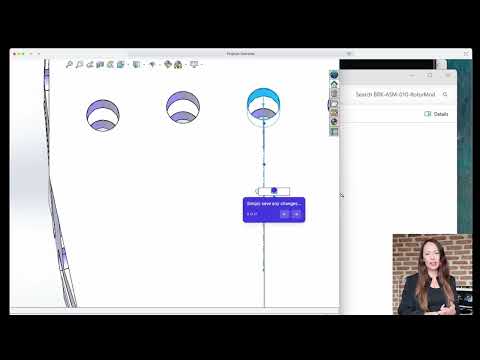
If you want a quick, practical walkthrough of what the day-to-day workflow looks like, here’s a short 2-minute video:
Conclusion
The multi-CAD reality is here to stay. Enterprises that embrace it with a true multi-CAD PDM platform will gain a significant competitive advantage through improved collaboration, faster innovation, and reduced costs. CAD ROOMS provides the modern, flexible, and affordable solution that enterprise teams need to thrive in a multi-CAD world.
Ready to break down your data silos?Book a demo of CAD ROOMS and see how we can help you manage your multi-CAD environment.
Frequently Asked Questions (FAQ)
Q1: Do I need to have the native CAD software installed to view files in CAD ROOMS?
A: No. The CAD ROOMS browser-based viewer supports 35+ formats, so anyone can view, measure, and mark up files without a CAD license.
Q2: How does CAD ROOMS handle relationships between files from different CAD systems?
A: CAD ROOMS maintains all file relationships and dependencies, even between different CAD formats. You can see how a SolidWorks part is used in a CATIA assembly, for example.
A: Multi-CAD support is included in the standard CAD ROOMS subscription. There are no extra fees or modules to purchase.
Q5: Is it difficult to migrate from multiple PDM systems to CAD ROOMS?
A: Our team can help you consolidate your data from multiple sources into a single CAD ROOMS repository. We offer a free data migration assessment to get you started.
References
[1] Engineering.com. (2023). The Challenges and Benefits of a Multi-CAD Environment.
[2] Develop3D. (2024). The Rise of the CAD-Agnostic PDM.
An analysis of hidden workflow costs when engineering consultancies use OneDrive for CAD data — file conflicts, broken references, and version management gaps — compared with purpose-built cloud PDM.
A guide to cloud PDM platforms with easy CAD integration for SOLIDWORKS, Inventor, Fusion 360 and other multi-CAD environments — comparing enterprise PLM, CAD-native ecosystems, and modern file-based approaches.